


Available from November 16, 2026 on iOS and Android.


-
Your meeting agenda, always with youSee all your B2B meetings and add them to your phone calendar in one tap. Available from Dec.1st.
-
Networking made easyBrowse attendees open to networking, request their contact details or propose extra meetings. You are notified as soon as a request is accepted or declined. Available from Dec.1st.
-
Business scanScan attendees’ badges with their consent and export your new contacts to CSV. No more lost business cards.
-
Participant listFind the right contacts fast by filtering participants by activity or country.
-
Everything you need on siteVenue, map and directions, floor plan, opening hours, Wi-Fi, lunch and catering, key contacts.


How to log in
Registered for B2B meetings?
Delegate access
Log in with:
- your delegate e-mail address
- your B2B platform password
You get full access: your meeting agenda, networking and business scan.
Not registered for B2B meetings?
Guest access
Fill in the short form in the app.
You get access to event information, conferences, speakers, exhibitors and the floor plan.
Need help?
Key dates
- November 16: the app is available for download
- Dec. 1st: your meeting agenda and networking go live
- Dec. 1-3: Aeromart Toulouse, 16th edition
Don’t wait until you’re at the venue. Download the app now!

Help contact
Still have a question?
During the event, our team at the welcome desk will help you.
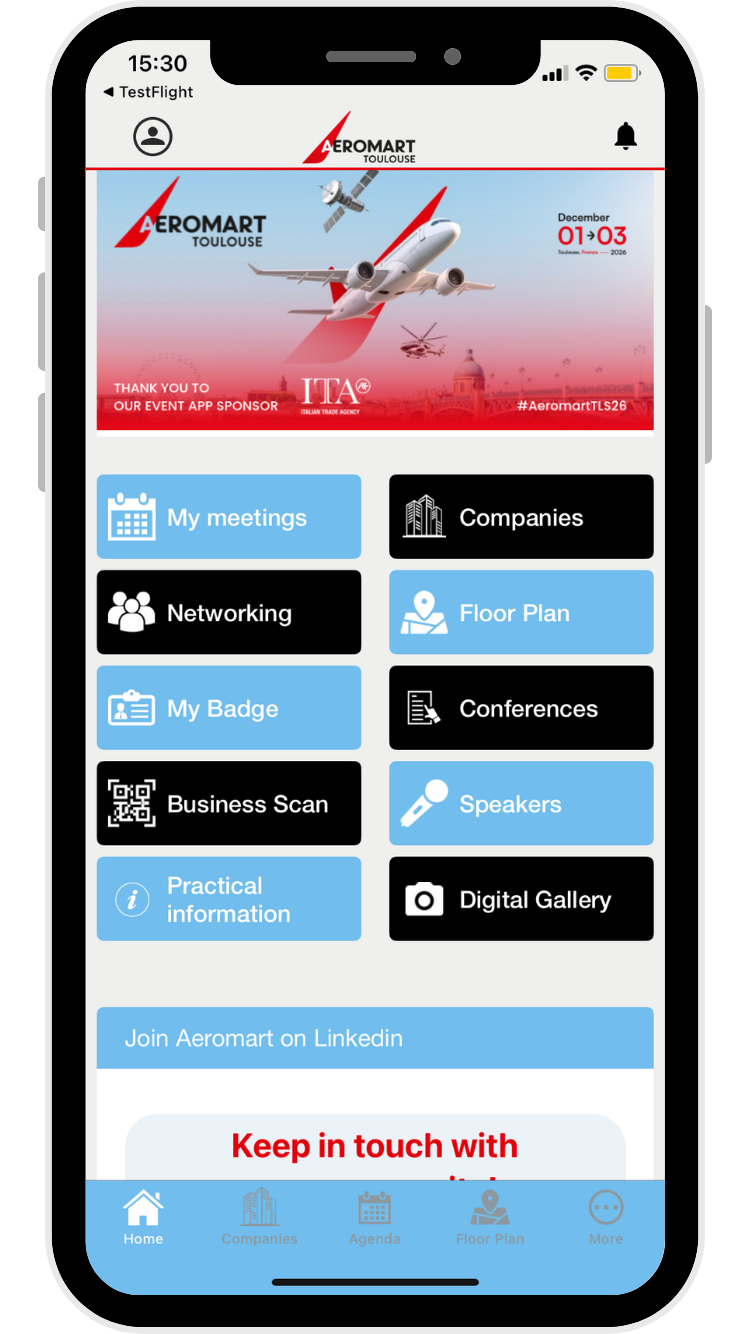
The official Aeromart Toulouse 2026 app helps you prepare your visit, manage your meetings and make the most of your business opportunities. In the app you can:
- view your meeting agenda and add your meetings to your phone calendar
- browse attendees open to networking and send them contact or meeting requests
- scan attendees’ badges and export your contacts to CSV
- view the participant list and the event floor plan
- find practical information: venue access, opening hours, Wi-Fi, catering
- receive live notifications during the event (make sure notifications are turned on)
- join the Aeromart community on LinkedIn
Agenda, networking and Business Scan require delegate access (see question 2).
-
1. Download the VTM app from the App Store or Google Play, available from November 16, 2026.
-
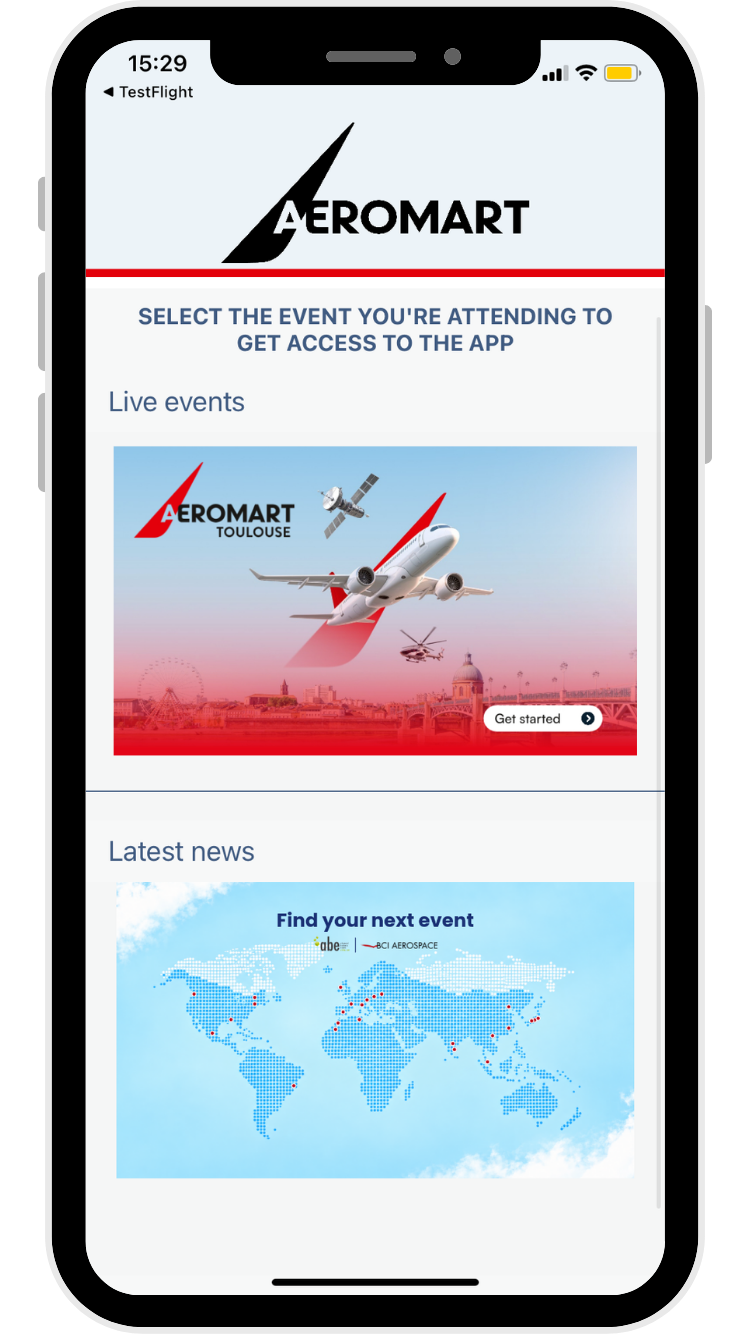
2. Select the live event Aeromart Toulouse 2026.
-
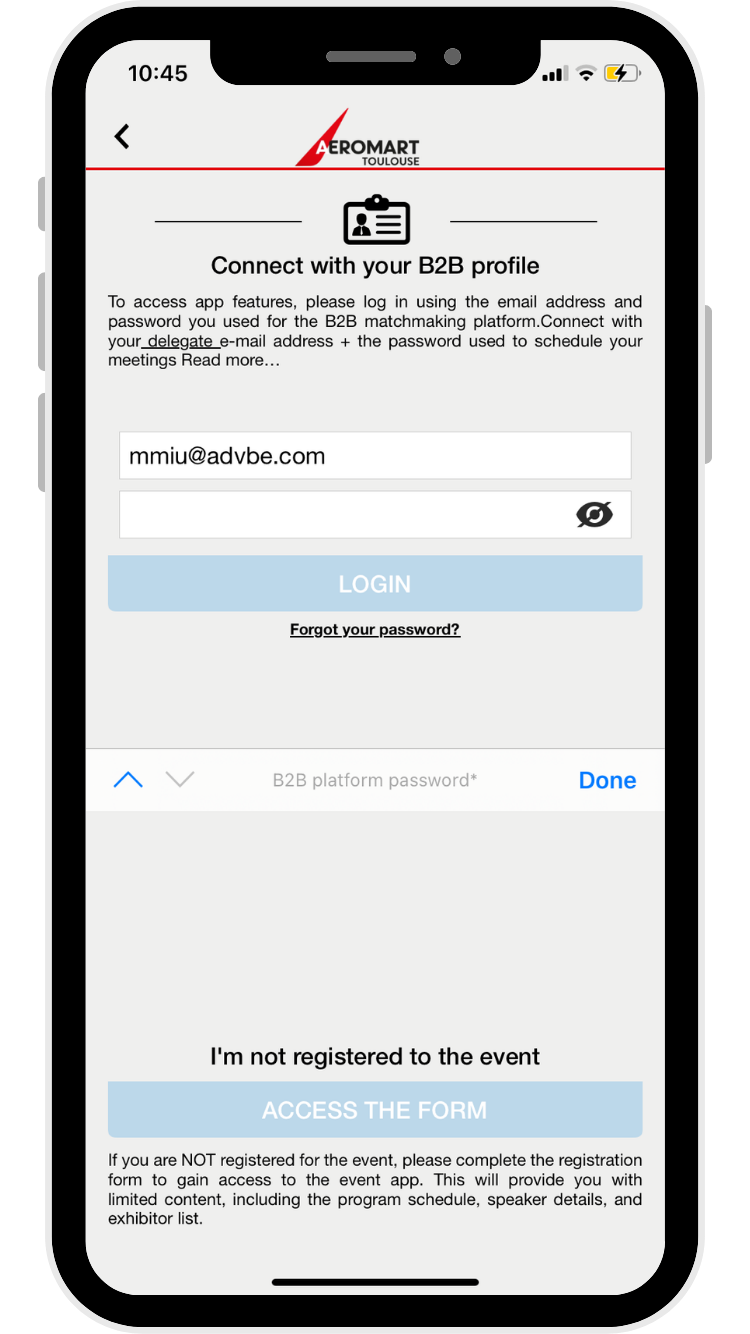
3. Enter your delegate e-mail address: the address registered under your name in the Delegates section of the B2B platform.
-
4. Enter your B2B platform password: the same password you use to access your company profile.
You are now logged in with full access to your agenda, networking and business scan.
Not registered for B2B meetings?
Choose guest access and fill in the short form. You will see event information, conferences, speakers, exhibitors and the floor plan.
Check these points in order:
- Are you registered for the B2B meetings? This is the most common cause of login issues.
- Are you using your delegate e-mail address? It must be the address listed under your name in the Delegates section, not a generic company address.
- Forgot your password? Tap “Forgot your password” on the login screen to reset it.
Still blocked? Contact Mariana Miu at
During the event, visit the welcome desk, where our app support team will help you.
First, check that you have meetings scheduled on the B2B platform.
The agenda appears in the app from Dec. 1st.
If your meetings show on the B2B platform but not in the app, make sure that you are logged in with delegate access (delegate e-mail address and B2B platform password), not with guest access via the form.
Networking is available from Dec. 1st with delegate access. You can:
- browse attendees who opted in to networking and spot contacts who share your interests
- request contact details or propose additional meetings directly in the app
- get notified instantly when a meeting request is accepted or declined
- Open Business Scan from the app home screen.
- Allow the app to use your camera.
- Scan the badge of the attendee, with their consent.
- Export your contacts to Excel and send the file to your e-mail address.
It takes a few seconds:
- Open the Companies list.
- Tap the filter icon at the top right of the screen.
- Filter by country, key sector or competence area.
- Select the competence you need, for example Special Materials.
You now see only the companies matching your selection.
Tip: the same filters work in Networking, so you can find and contact the right people directly (delegate access required).


Your brand appears on:
- the event website
- the registration and B2B meeting platform
- dedicated marketing campaigns and social media
- on-site signage at the venue
- the mobile app itself
Interested? Contact